Git日常开发全套常用命令
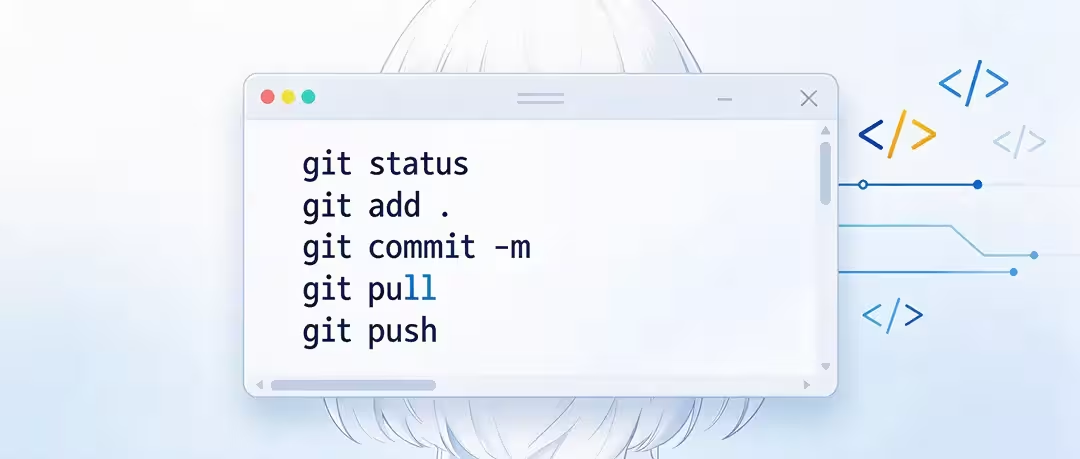
适用场景:个人多设备开发、Gitee/GitHub 仓库维护、打版本 Tag、Release 发布、冲突修复、SSH 免密配置,命令经过实操验证。
0. 前置:全局基础配置(首次安装Git必配)
# 设置用户名、邮箱(提交记录会携带)
git config --global user.name "你的昵称"
git config --global user.email "你的邮箱"

# 查看全局配置
git config --global --list

# 推荐:设置默认拉取策略(rebase,减少多余合并提交,多设备开发强烈推荐)
git config --global pull.rebase true

# 设置编辑器(可选,Windows推荐nano/vscode)
git config --global core.editor "code --wait"
1. 仓库新建 / 克隆
# 在当前目录初始化本地git仓库
git init

# 克隆远程仓库(HTTPS)
git clone [https://gitee.com/xxx/xxx.git](https://gitee.com/xxx/xxx.git)

# 克隆远程仓库(SSH,后续切换为SSH地址使用)
git clone git@gitee.com:xxx/xxx.git

# 克隆到指定文件夹
git clone git@gitee.com:xxx/xxx.git my-project
2. 文件新增、修改、删除、暂存
# 查看仓库状态(最常用)
git status
git status -s # 简洁状态

# 添加到暂存区
git add readme.md        # 添加单个文件
git add .                # 添加当前目录所有改动(不含删除)
git add -A               # 添加全部:新增、修改、删除(推荐日常)

# 删除文件
git rm test.txt          # 删除文件 + 加入暂存
git rm --cached test.txt # 仅从git追踪移除,本地文件保留(适合加到ignore)

# 重命名文件
git mv old.js new.js

# 查看改动对比
git diff                 # 工作区 vs 暂存区
git diff --staged        # 暂存区 vs 本地版本库
3. 提交 Commit(Conventional Commits 规范)
规范前缀说明:feat新功能 |fix缺陷修复 |docs文档更新 |style格式调整(无逻辑改动)refactor重构 |perf性能优化 |test测试代码 |chore构建/工具、依赖更新
# 标准提交
git commit -m "feat: 新增暗黑模式切换"
git commit -m "fix: 修复移动端滚动错位"
git commit -m "docs: 更新部署文档"

# 修改上一条提交信息(未push远程才可用)
git commit --amend
4. 远程仓库管理(切换SSH在这里)
# 查看远程仓库地址
git remote -v

# 添加远程源
git remote add origin git@gitee.com:xxx/xxx.git

# 修改远程地址(HTTPS → SSH 核心命令)
git remote set-url origin git@gitee.com:xxx/xxx.git

# 删除远程源
git remote remove origin
5. 拉取、推送远程代码(多设备开发核心)
# 只拉取远程记录,不自动合并(安全,先看更新)
git fetch origin

# 拉取+合并(默认merge模式)
git pull origin master

# 拉取+变基(推荐!多设备开发,历史干净,配置pull.rebase=true后直接git pull即可)
git pull --rebase origin master

# 推送本地分支到远程
git push origin master

# 第一次推送,绑定追踪分支,后续直接 git push / git pull
git push -u origin master

# 强制推送(⚠️高危,仅自己单人仓库使用,团队禁止)
git push -f origin master
6. 分支操作
# 查看本地分支
git branch

# 查看本地+远程所有分支
git branch -a

# 创建分支
git branch dev

# 切换分支(旧版)
git checkout dev

# 新建并切换分支(新版推荐 switch)
git switch -c dev

# 切换已有分支
git switch master

# 合并分支(dev合并到master)
git merge dev

# 删除本地分支
git branch -d dev

# 删除远程分支
git push origin --delete dev
7. Stash 暂存(多设备开发神器:临时保存未提交改动)
场景:代码写到一半,需要先拉远程最新版本,不想提交半成品
# 保存当前所有改动(不含未跟踪新文件)
git stash

# 保存,包含未跟踪文件(推荐)
git stash -u

# 查看暂存列表
git stash list

# 恢复最近一条暂存,并且删掉stash记录
git stash pop

# 恢复暂存、保留stash记录
git stash apply

# 删除一条stash
git stash drop stash@{0}

# 清空所有stash
git stash clear
8. Tag 版本标签(Release 发布配套)
# 创建轻量标签
git tag v1.0.0

# 创建附注标签(推荐,带备注,可在Gitee/GitHub Release展示)
git tag -a v1.0.0 -m "v1.0.0 正式版本,功能稳定版"

# 给历史提交打tag,后面跟commit hash
git tag -a v0.9.0 a123bcd -m "测试版本"

# 查看所有tag
git tag

# 推送单个tag到远程
git push origin v1.0.0

# 一次性推送全部tag
git push origin --tags

# 删除本地tag
git tag -d v1.0.0

# 删除远程tag
git push origin --delete v1.0.0
9. 日志、查看历史
# 查看提交日志
git log

# 简洁单行日志(强烈推荐)
git log --oneline

# 看某次提交详细改动
git show a123bcd
10. 回滚、冲突应急(你之前遇到报错场景)
# 放弃本地所有改动,完全对齐远程master(以远程为准,⚠️会丢失本地未提交内容)
git fetch origin
git reset --hard origin/master

# 放弃合并冲突、退出MERGING状态
git merge --abort

# 撤销已经add到暂存区的文件(保留本地修改)
git restore --staged test.js
11. .gitignore 推荐模板(直接保存为 .gitignore 放到项目根目录)
# 系统文件
.DS_Store
Thumbs.db

# IDE配置
.idea/
.vscode/
*.swp
*.swo

# 日志、缓存
logs/
*.log
cache/

# 环境配置、密钥
.env
*.pem

# 编译产物
dist/
build/
node_modules/
12. .gitattributes 推荐模板(新增,解决跨平台换行符、二进制识别)
作用:统一 Windows / Mac / Linux 换行符,避免大量^M换行污染diff,标记二进制文件防止文本比对,适合三台不同设备开发。
保存为项目根目录.gitattributes
# 默认文本文件统一 LF 换行
* text=auto

# 明确指定为文本,强制LF
*.txt text eol=lf
*.md text eol=lf
*.js text eol=lf
*.ts text eol=lf
*.css text eol=lf
*.scss text eol=lf
*.html text eol=lf
*.json text eol=lf
*.xml text eol=lf
*.yml text eol=lf
*.yaml text eol=lf
*.php text eol=lf
*.go text eol=lf
*.py text eol=lf
*.sh text eol=lf

# Windows脚本保留CRLF
*.bat text eol=crlf
*.cmd text eol=crlf

# 二进制文件,不做换行转换、不diff
*.png binary
*.jpg binary
*.jpeg binary
*.gif binary
*.webp binary
*.ico binary
*.pdf binary
*.zip binary
*.rar binary
*.7z binary
*.tar binary
*.gz binary
*.exe binary
*.dll binary
*.so binary
*.dmg binary
*.ttf binary
*.otf binary
*.woff binary
*.woff2 binary
生效命令(首次添加后,刷新仓库换行)
# 删除暂存,重新归一化所有文件换行
git rm --cached -r .
git add -A
git commit -m "chore: add .gitattributes normalize line ending"
13. SSH密钥配置简要步骤(切换SSH必做)
- 生成密钥:
ssh-keygen -t ed25519 -C "你的邮箱" - 复制公钥
id_ed25519.pub内容 - 粘贴到 Gitee / GitHub 后台 SSH公钥设置页
- 测试连通:
ssh -T git@gitee.com - 修改仓库远程地址为SSH地址:
git remote set-url origin git@gitee.com:xxx/xxx.git
14. 单人多设备推荐开发流程(适配三台电脑开发)
- 设备A开发完成:
git add -A && git commit -m "xxx" && git push origin master - 换到设备B:先
git pull拉最新(配置pull.rebase=true自动变基) - 设备B开发,中途需要同步:优先
stash暂存半成品 → pull → stash pop - 完成提交推送,其他设备重复拉取
⚠️ 重要提醒:
--hard、-f强制命令有数据丢失风险,单人私有仓库使用,多人协作慎用;- 遇到
non-fast-forward报错:代表本地分支落后远程,优先 pull 再 push;- 遇到
MERGING状态:要么手动解决冲突 add+commit,要么 merge --abort 放弃合并。
本文为 木子印象 原创文章,如若转载,请注明出处: https://muzihome.com/archives/359.html